How to Create Custom Sound Stickers for WhatsApp [Meme & Reaction Playbook]
Anyone can convert an audio clip—here is how top creators frame, time, and caption custom WhatsApp sound stickers that actually get starred by the whole group chat.
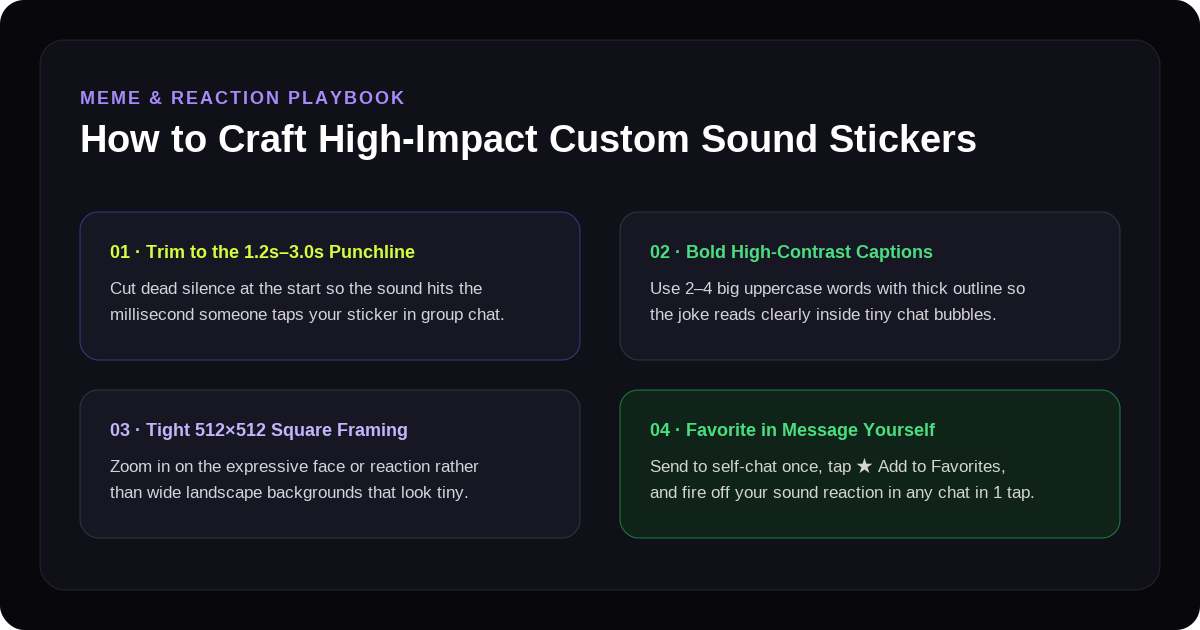
Sending a blurry 9-second clip with 3 seconds of silence before someone talks is the fastest way to get ignored in a busy WhatsApp group. The most-shared WhatsApp Sound Stickers work like a physical soundboard button: instant visual joke on sight, instant audio payoff on tap.
Follow this creator playbook to make custom sound stickers with punchy timing, crisp 512×512 typography, and effortless replayability.
Key Takeaways
- Sweet spot duration: 1.2s to 3.5s for punchlines and SFX; 5s to 10s only for full dialogue lines.
- Keep meme captions to 2–4 uppercase words so text remains legible inside small mobile chat bubbles.
- Combine ready-made library stickers with custom inside jokes so your Favorites tray covers every reaction.
4 Design Rules for Custom WhatsApp Sound Stickers
Stickers render much smaller inside a phone chat window than they appear on a desktop monitor. Optimize every sticker around mobile readability and instant audio delivery:
- Cut dead air ruthlessly: Trim to 50 milliseconds right before the first syllable or drum hit.
- Crop close on faces or expressive subjects: Zoom the 512×512 crop box onto eyes/expressions instead of wide scenery.
- Write short, high-contrast captions: Classic white bold lettering with dark outline contrasts sharply against both light and dark WhatsApp wallpapers.
- Pair unexpected visuals with iconic audio: Matching a friend's confused selfie with a dramatic violin or bass drop creates instant inside-joke gold.
High-Performing Sound Sticker Categories for Group Chats
If you are building a go-to Favorites pack of WhatsApp sound stickers, aim for one versatile sticker in each of these six categories:
| Category | Ideal Length | Caption Example | Best Source |
|---|---|---|---|
| Dramatic Sting / Bass Drop | 1.5s – 2.5s | DUN DUN DUUUN | YouTube SFX / MP3 soundboard |
| Gaming Win / Fail Alerts | 1.0s – 3.0s | MISSION FAILED | Gameplay clip / YouTube Shorts |
| Voice Catchphrases | 1.5s – 4.5s | WAIT A MINUTE | Record Voice mic / Voice notes |
| Awkward Silence / Crickets | 2.0s – 4.0s | *CRICKETS* | Custom photo + SFX track |
| Hype & Celebration | 2.5s – 5.0s | LET'S GOOO! | Sports/stream highlight clip |
Shortcut: Remix Ready-Made Sound Stickers
In a hurry? Head to the Stickers Library, preview trending SFX, and hit Send to WhatsApp in one click—or download the audio track and swap in your friend's photo in the creator studio.
Frequently Asked Questions
Wrap-Up & Next Step
Great custom sound stickers combine razor-sharp audio trimming, tight 512×512 framing, and bold mobile-friendly captions.
Start building your signature Favorites pack today—either craft original stickers from scratch in our creator studio or grab instant classics from our sound sticker gallery.
Build Your Signature Sound Sticker Pack
Create unlimited custom sound stickers free in your browser, or browse trending community sound stickers ready to send.