WhatsApp Stickers with Sound Download: Free Packs, Groups & Maker
Looking for WhatsApp stickers with sound download or an audio sticker group pack? Here is how real sound stickers work, how to import them from files, and how to build unlimited custom packs free.
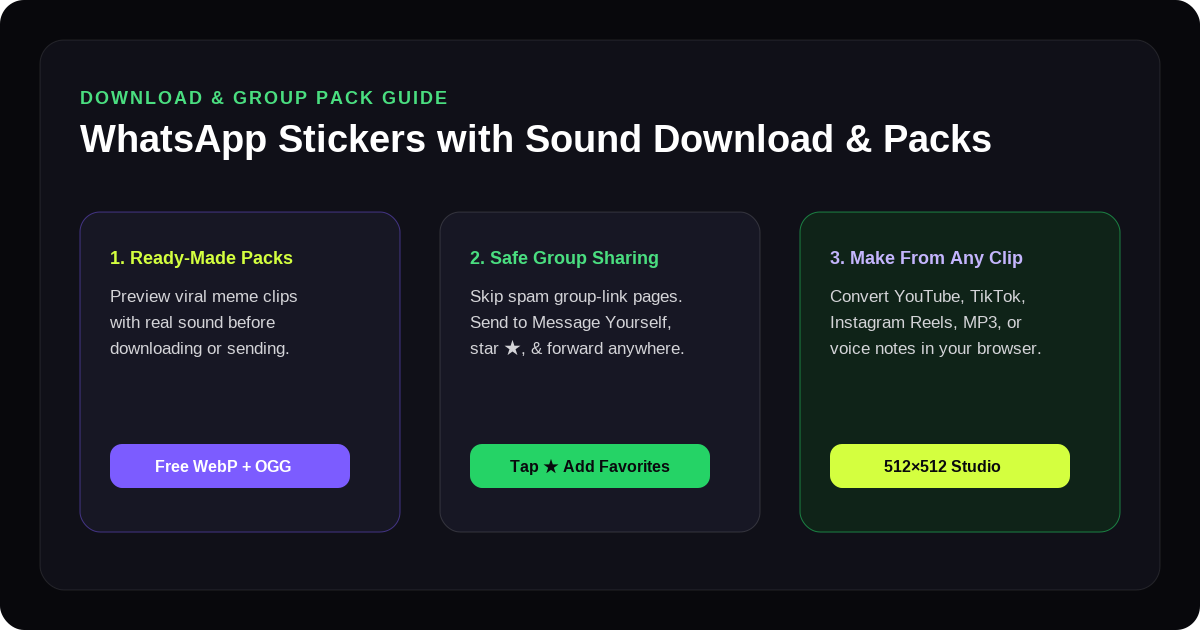
Every week, thousands of people search for 'whatsapp stickers with sound download' or 'whatsapp audio sticker group link' hoping to grab funny talking stickers for friend chats. Unfortunately, most group-link pages on the web are dead links, spam redirects, or silent stickers wrapped inside ad-heavy APKs.
The cleaner solution is using a browser-based WhatsApp Audio Sticker Creator alongside a curated sound sticker gallery. You can preview real talking video memes before downloading, deliver ready-made 512×512 WebP + Opus OGG bundles straight to your Message Yourself chat, or build your own sound sticker pack from YouTube, TikTok, Instagram Reels, MP3s, and voice notes.
Key Takeaways
- Yes—WhatsApp stickers can play real audio when a 512×512 Animated WebP sticker is paired with an Opus OGG track.
- Avoid sketchy WhatsApp group links or unverified APKs; preview and send sound stickers straight to your own self-chat safely.
- Download 5s MP4, 512×512 .webp, .ogg, and .mp3 files or organize all saved sound stickers inside your WhatsApp ★ Favorites tab.
Do WhatsApp stickers have sound? How audio stickers work
Standard static and animated WhatsApp stickers are silent images by default—that is why simply saving a normal .webp image never plays audio. However, WhatsApp supports real tap-to-play sound stickers by linking a 512×512 WebP sticker with a short Opus OGG audio payload (0.4s to 10s).
Once delivered into your Message Yourself chat, tapping the sticker plays the sound immediately inside chat. You can then star it to Favorites and forward it to any friend or group chat cleanly.
| Source | Audio Works? | Safety | Control Over Clips |
|---|---|---|---|
| WhatsApp Audio Sticker Gallery & Creator | Yes (WebP + Opus OGG + 5s MP4) | 100% browser-based, no APK | Full trim, square crop & caption |
| Random 'Audio Sticker Group Link' Sites | Inconsistent / often spam | Exposes phone number to strangers | Zero customization |
| Plain WebP Sticker Packs | No (silent image only) | Safe | Visual only |
How to get WhatsApp audio stickers from files to WhatsApp
Whether you want ready-made viral sound packs or custom clips saved on your phone, moving them from files into WhatsApp takes less than a minute:
- 01
Preview in the Stickers Gallery or upload your clip
Browse trending viral clips in our Stickers library, or open the Maker studio to upload an MP3, WAV, OGG, or MP4 file—or paste a YouTube, TikTok, or Instagram link.
- 02
Crop 512×512 & tap Create Audio Sticker
Select the 512×512 square area, trim the exact 0.4s–10s soundbite, add a bold meme caption if you want, and build the sticker bundle locally in your browser.
- 03
Deliver straight via Phone Pairing Code or Extension
Tap 'Send Sound Sticker to WhatsApp'. On mobile, enter your country code and number to link temporarily in WhatsApp Linked Devices; on PC Chrome/Edge, click once via the Extension.
- 04
Star ★ to build your personal WhatsApp audio sticker pack
Open your Message Yourself chat, tap ★ Add to Favorites on each sticker you receive, and share them inside any WhatsApp group whenever you want.
Watch the 3-Minute Mobile Walkthrough First
Not sure where to tap in WhatsApp Linked Devices? Scroll up to our Mobile Tutorial section (or open it inside the Send popup) to follow the exact mobile screen steps.
Frequently Asked Questions
Wrap-Up & Next Step
Instead of hunting through expired WhatsApp audio sticker group links, you can build and download clean, high-volume sound stickers in seconds.
Pick trending meme stickers from the gallery or craft custom reaction packs tailored to your own friends and groups.
Download or Build Sound Stickers Free
Browse trending talking stickers or turn any YouTube, TikTok, Instagram, or MP3 clip into a real WhatsApp Sound Sticker.